
➡️ Why Are My Proxies Not Showing in My Dashboard?
If your proxy dashboard shows blank areas or your proxies are missing after purchase, it usually means that the location you selected is temporarily out of stock.
This applies only to Dedicated, Semi-Dedicated, ISP, and Semi-ISP Proxies. If you experience this issue with other proxy services (like Residential or Rotating), please contact our support team for assistance.
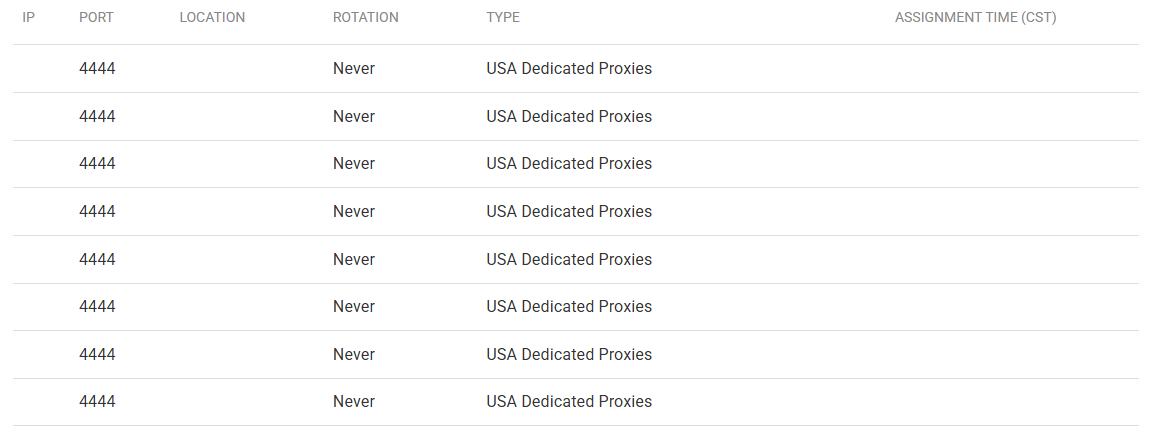
➡️ Proxy Delivery Time
Our proxies are typically delivered within 10–15 minutes after purchase. However, delivery times can vary depending on availability and location demand. If your proxies don’t appear right away, don’t worry. They’re still being assigned.
- ✔ Most orders complete within an hour
- ✔ All orders are fulfilled within 24–48 hours
If your proxies still haven’t appeared after 48 hours, please reach out to our support team so we can check your order status.
➡️ Available Proxy Locations
We currently offer multiple proxy locations in the following countries:
- United States
- France
- Germany
- United Kingdom
- Australia
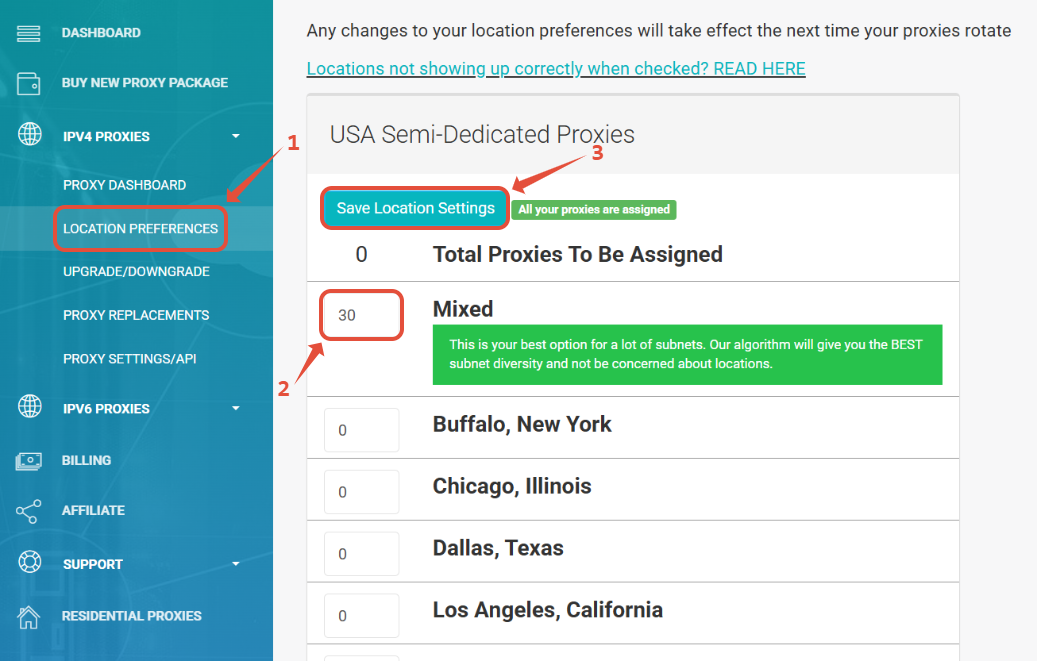
If you have proxies in these regions, you can set your proxy location to Mixed. This option allows our system to automatically assign proxies from available data centers, ensuring faster delivery even when certain cities are out of stock.
✔ How to Set Your Location to “Mixed”
- Log in to your Proxy Dashboard.
- Go to the Location Preferences section.
- Clear any previously selected locations.
- Set your proxies to Mixed and click Save.
Once updated, your proxies will be reassigned automatically from available stock in the selected region.
➡️ Locations Outside the US, France, Germany, the UK, and Australia
For all other countries, only one city or location is available. If your proxies are not delivered within 10–15 minutes, please allow up to 24–48 hours for them to appear.
If you still don’t see your proxies after that period, please submit a support ticket, and our team will ensure your proxies are delivered as soon as possible.
➡️ Need Help?
✔ If your proxies are still missing or showing as blank after following the steps above, our team can verify stock availability and manually push delivery if needed.
✔ Tip: Choosing “Mixed” is the fastest way to avoid stock delays and receive your proxies promptly.
✔ Create a Support Ticket — We’ll check your order right away.
✔ Email Us — Include your order ID and the location you selected.